Piano Lab Pro
Mixed reality performance preparation on Apple Vision Pro, built at the University of Michigan's Center for Academic Innovation in partnership with the School of Music, Theatre & Dance.
Small core team, 35+ contributors. Scoped three ideas to the strongest value prop.
Product Manager
U-M Center for Academic Innovation
Feb 2025 - present
Core team of 6; 35+ contributors
Scoped three faculty ideas to the strongest value proposition
Three strong faculty concepts were on the table at the start. The PM work was finding the through-line that made the product focused, buildable, and honest with stakeholders.
Grounded decisions in user research
Two key product decisions came directly from usability findings. When research and assumptions pointed in different directions, research set the direction.
Built the research partnership that validated impact
Identified early that rigorous impact measurement would require outside expertise, then brought in U-M's Institute for Social Research to design the study and run pilot testing.
The problem.
Music performance anxiety is well-documented, widespread, and structurally built into how musicians train. Students rehearse alone in small practice rooms, then perform in large concert halls in front of live audiences. Repetition in a practice room doesn't close that gap.
Piano students are particularly exposed. Their instrument is fixed: you can't carry your home environment with you. What you can do is make the practice environment more like the performance environment before the performance happens. That's the thesis behind Piano Lab Pro.
The finding that shaped everything
The anxiety trigger students identified most consistently wasn't the performance itself. It was the moment when the audience lights dim, the stage lights come up, and the room goes quiet: the "all eyes on me" moment. That finding became the product's core design requirement.
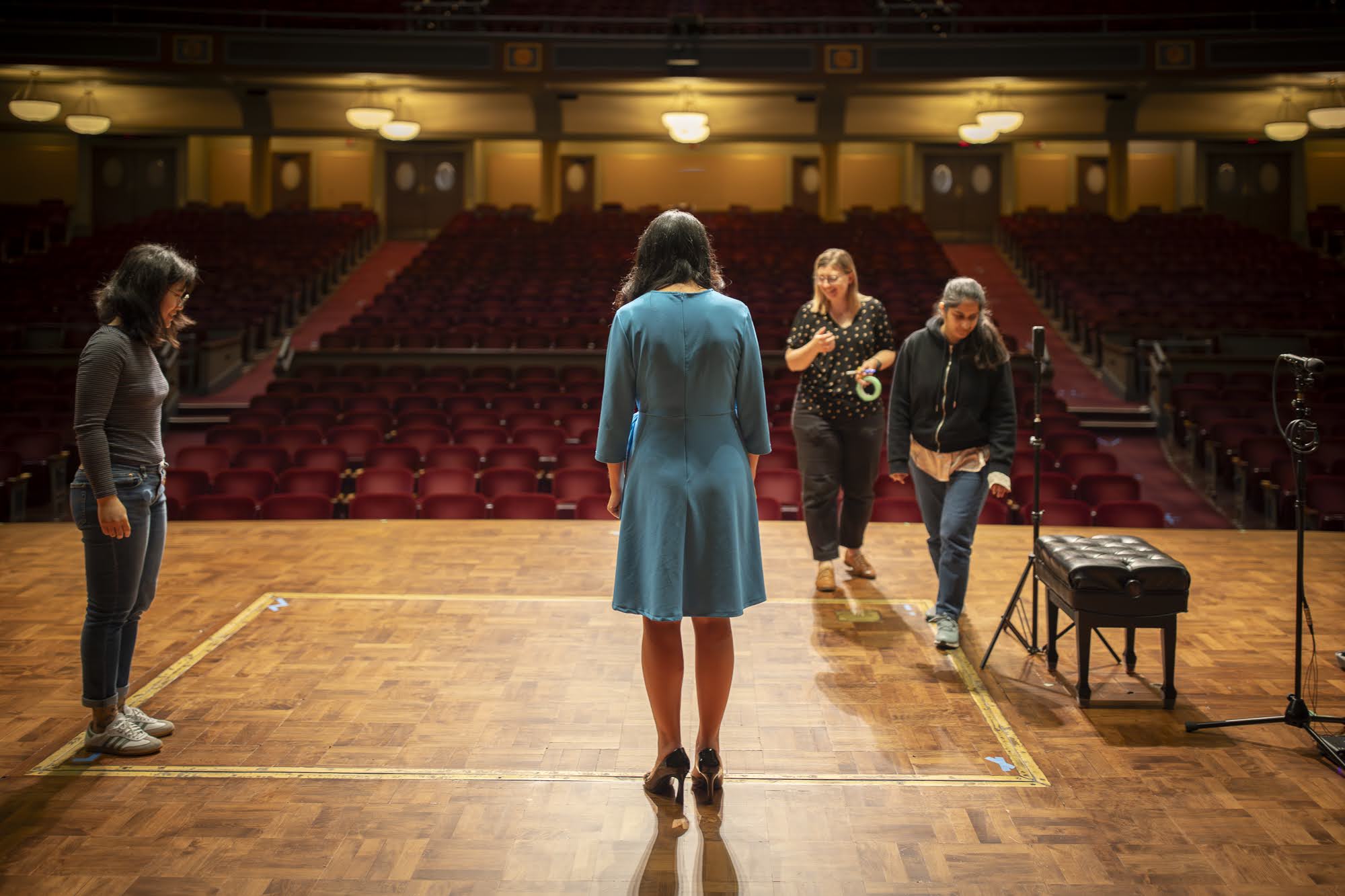
Hill Auditorium from the stage. This is what a student faces the moment the lights shift.
Team and stakeholders.
Piano Lab Pro ran for two years with a core team of six (the XR team at CAI and two faculty partners at SMTD) and 35+ contributors overall across design, research, and production. I was the product manager across all of it, proposal through prototype.
Aya Hagelthorn
Lecturer of Piano Pedagogy · Director of Collegiate Class Piano
The pedagogical anchor. She knows what her students experience before performances, and what she wishes they had access to.
Anıl Çamcı
Associate Professor · Director of Graduate Studies, Performing Arts Technology
The audio and spatial computing expert who shaped the acoustic design of the experience.
The team on the Hill Auditorium stage during the venue capture day.
Discovery.
What I needed to understand before anything could be scoped.
The project followed a structured Discovery to Framing to Inception to MVP path. I led several months of research to build a deep understanding of the problem space before development began, so the team could scope with confidence and make decisions grounded in evidence. This ran alongside ongoing consultation with Aya and Anıl to align pedagogical goals with what students actually needed.
The CAI project framework: diverge to find the right problems, converge on the right solutions, then iterate toward MVP. Key activities I drove across the discovery and framing phases:
Student interviews
Structured interviews across experience levels, focused on the hours and minutes before a high-stakes performance: anxiety triggers, coping strategies tried, what made it worse. Grounded in MPA and flow state literature.
Site visits
To Britton Recital Hall, Hill Auditorium, and SMTD classrooms. I organized access to the actual spaces so the team understood the physical environment before designing for it.
Design jams
Co-design sessions produced a dot-voted set of learner goals that became the foundation for every product decision that followed. The top three: feeling confident through distracting audiences, building pre-performance routines, and exploring unfamiliar performance environments. Every feature scoped from that point forward had to map to one of these.
What the student experiences
The student wears an Apple Vision Pro at a real piano. Through passthrough they see their own hands and real keys. Everything else is virtual: Hill Auditorium or Britton Recital Hall, a live audience, calibrated venue reverb.
There are two phases. In the default state, the house lights are up and the audience is chatting. When they're ready, the student triggers the transition: lights shift, the crowd quiets, the stage is lit. That "all eyes on me" moment is now part of the practice session.
Information architecture mapped before building the MVP prototype: onboarding, venue selection, Default Play, and Performance Mode with the full distraction and lighting sequence.
The coordination problem.
What I had to schedule, stage, and ship.
Capturing Britton Recital Hall and Hill Auditorium at the fidelity the experience required was an operational problem, and running it was my job. The numbers below are what a faithful virtual concert hall actually costs in logistics.
Hill Auditorium capture
One full team day. 6,000+ photos captured, 4,200 aligned. 2.3 rolls of tape for scan position markers. 20 balloons popped at mapped locations to capture acoustic impulse response for the reverb model.
Britton Recital Hall
Required multiple visits at different lighting conditions to determine which combination read as most realistic inside the headset.
Audience capture
42 audience members filmed on green screen on the XR Stage. 2.7 TB of footage to populate virtual seats with real human motion.
Piano mesh: matching the real instrument
The digital keyboard students practice on (left) next to the grand piano model from Hill Auditorium's stage (right). We compared them to find dimensional differences, then adjusted the Hill model's foot pedals to align with the physical keyboard students actually play, so the mixed reality overlay would match reality.
Setting up on the Hill Auditorium stage: audio equipment, tape grid, and the piano bench positioned for the capture session.
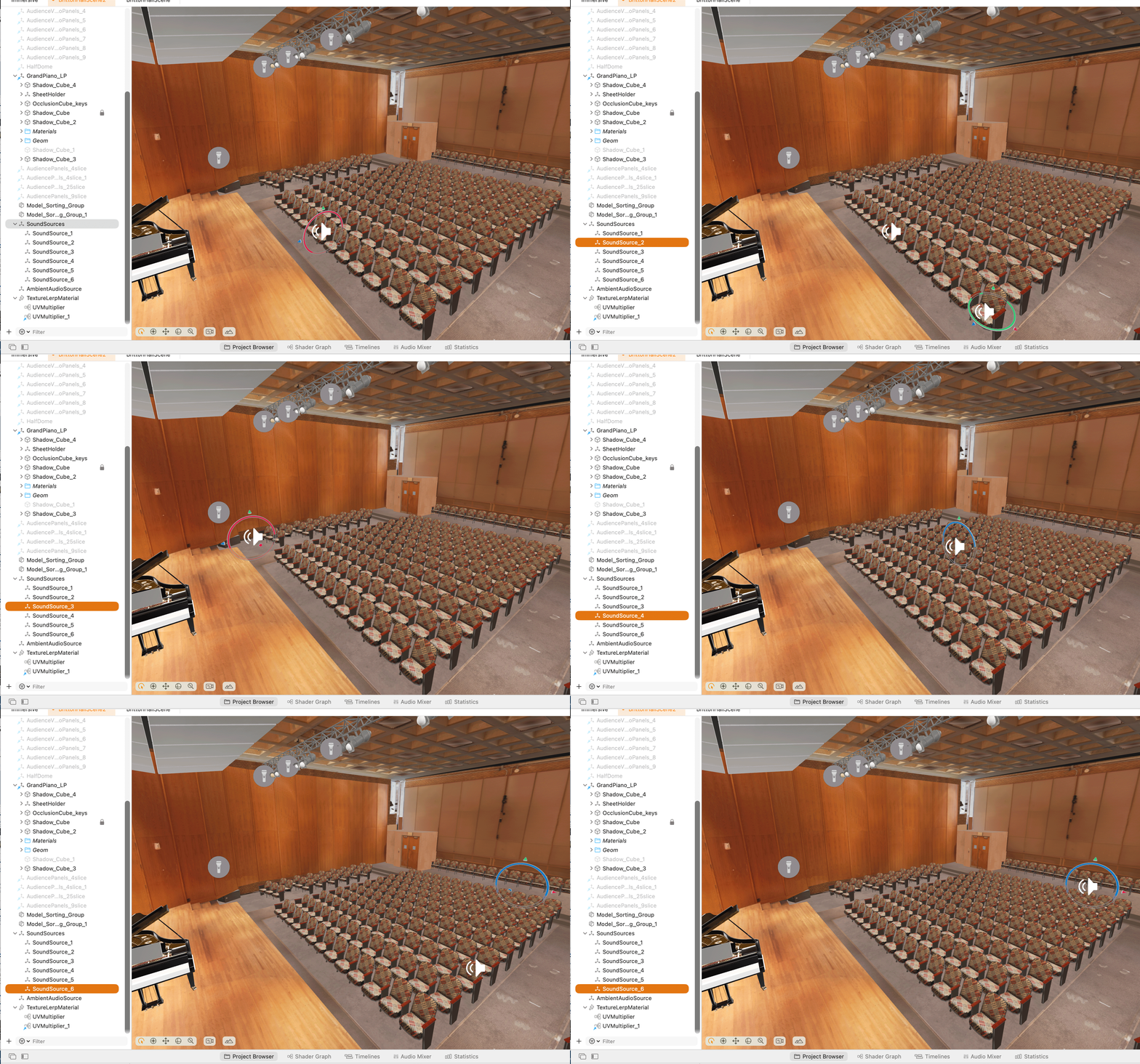
The Britton Recital Hall scene in Unity: audience panels, spatial sound sources, and the optimized piano mesh assembled into the environment.
Scheduling access across two auditoriums, a green screen stage, and SMTD piano classrooms, while coordinating faculty, facilities, and the XR team across a full semester, was the stakeholder management layer beneath every image on this page.
Testing with real users
Several rounds of user research and usability testing ran throughout the project, not as a formality, but as the mechanism that changed product decisions. The research findings from discovery shaped what we built. The usability sessions determined whether what we built actually worked.
"The strongest product decisions on this project came from research. When usability data and faculty assumptions pointed in different directions, the data set the direction."
Research: mapping where anxiety clusters
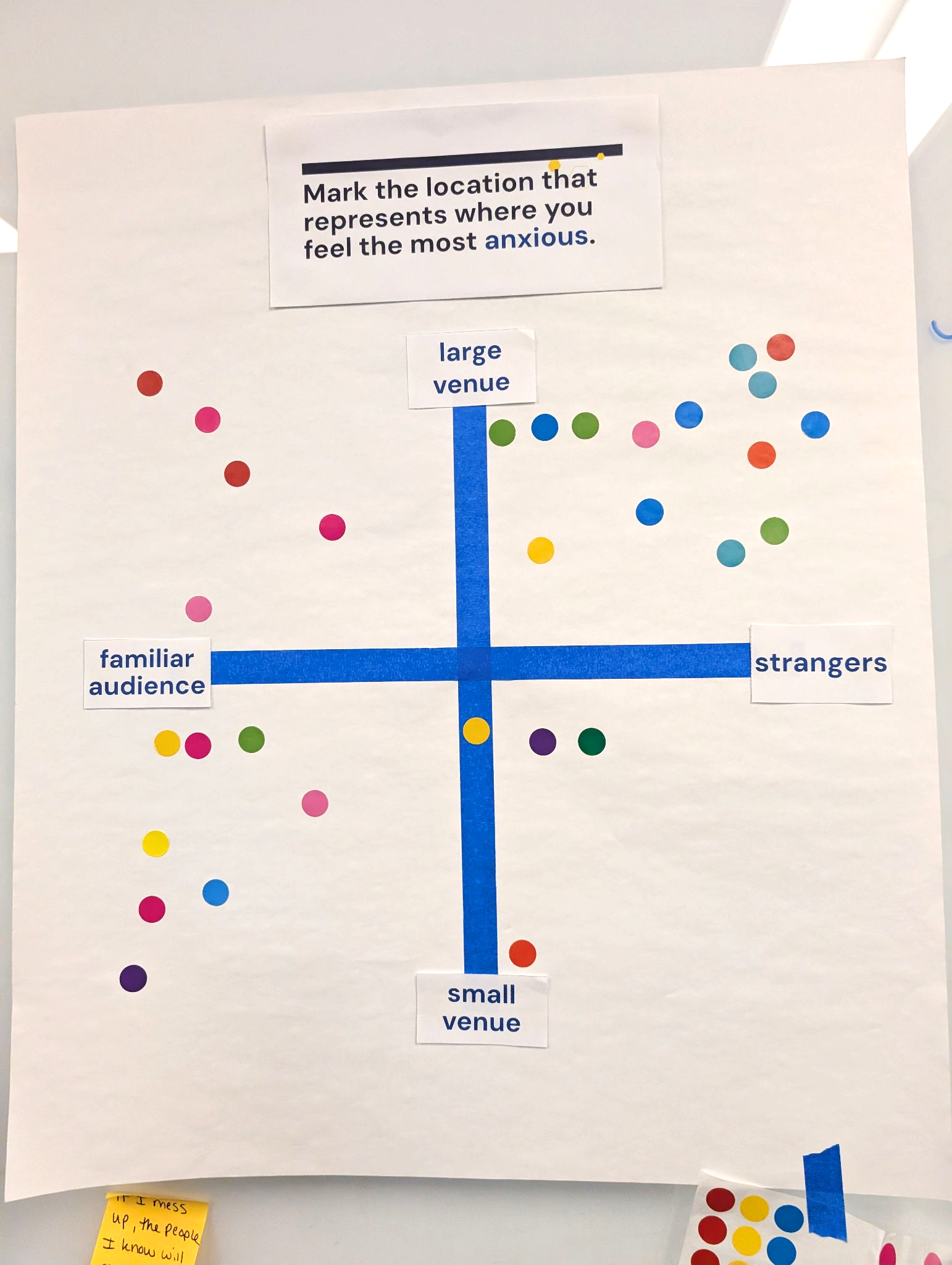
Students placed dot stickers on a two-axis map (venue size vs. audience familiarity) marking where they feel most anxious. Two clusters emerged, and both were unexpected. The dominant one was large venue, strangers, which drove Hill Auditorium as the product's primary environment and shaped every distraction and lighting decision. The second cluster, smaller venue, familiar audience, was strong enough to justify a second environment: Britton Recital Hall, designed for the more intimate, known-audience scenario that also generates real anxiety for a different reason.
ISR pilot testing
After I brought in the U-M Institute for Social Research, they conducted pilot testing sessions to validate whether the app measurably affected anxiety. IRB approval was in place; biometric data would eventually be used to back the product's claims with evidence.
I built a shared NotebookLM notebook, sourced from session recordings, the headset connection guide, and prototype documentation, so ISR facilitators could ask the prototype questions mid-session without interrupting the flow. It updated as testing progressed.
Early faculty headset tests: the team crowded around to observe in real time.
December 2025 usability testing: participant at the piano, headset on, running through the full flow.
What changed because of testing
Two product decisions came directly from testing findings.
First: Default Play and Performance Mode, originally separate menu options, were merged into a single continuous flow. Testing showed the separation made the anxiety-triggering transition optional, which defeated the point of the product.
Second: the original piano alignment approach failed consistently in usability sessions. Rather than iterate on a broken pattern, I made the call to prototype an alternative and A/B test them against each other.
Decisions and their costs.
Every decision here involved a three-way tension between faculty clients, student users, and what the team could build.
ISR partnership: identifying the capability gap early
Self-reported anxiety scores weren't going to be enough to validate whether the app actually worked. Our team didn't have objective impact measurement expertise in-house, and I knew that gap would become a credibility problem at scale. I sought out a partnership with U-M's Institute for Social Research early in the project to bring biometric validation into the study design. That partnership shaped how we'd eventually measure success, and it came from reading what the team couldn't do alone, not from a feature spec. ISR received IRB approval, conducted pilot testing, and the partnership has since opened a potential connection with the Berlin Philharmonic. None of that was in the original spec.
"The ISR partnership happened because I read what the team couldn't do, not because someone handed me a spec."
Scoping three faculty ideas to the strongest value proposition
When the project began, three faculty ideas were on the table. Each was a full product in its own right. Getting to one required identifying which had the strongest value proposition and saying no to the others — not because they were bad ideas, but because a single focused thesis is more buildable, more evaluable, and more honest with stakeholders. The hardest part was holding that line through faculty enthusiasm for their own concepts.
Merging Default Play and Performance Mode into one flow
An early version offered Default Play and Performance Mode as separate menu options. Usability testing surfaced that this was wrong: the separation made the "all eyes on me" moment optional and opt-in, which undermined the whole point. The redesign merged them into a single continuous flow. The anxiety-inducing transition is now built in, not choosable.
Piano alignment: rejecting the first solution, A/B testing the second
Getting the virtual piano to align with the real piano keys, so the student's hands appear to play the real instrument, was harder than it looked. The first solution (manipulate a virtual cutout to match the real keys) violated standard XR interaction patterns and consistently failed in usability testing. Rather than push the team to iterate on a broken pattern, I made the call to prototype a second approach: a transparent "cuboid" overlaid on the real keys. We ran an A/B test on both. Results were mixed enough that neither won outright, and the team is now designing a hybrid. The lesson: sometimes the first workable solution isn't the right one to ship.
Synthesis from testing the early prototype keyboard setup screen. Each sticky note is a finding with evidence count and a specific action. "8/8 participants" on the positioning note: that's the kind of signal that makes the call easy.
Left: the first solution being tested. Right: the cuboid prototype, the second approach we A/B tested against it.
Where it stands
As of April 2026, the project is on track for its June 2026 MVP. The working prototype runs on Apple Vision Pro with both venues fully built, live audience, calibrated acoustics, Bluetooth MIDI routing, and the full pre-performance to performance flow. IRB approval is in place. Pilot testing has been conducted. The load-bearing pieces are complete.
Outstanding work includes completing the alignment UX, the onboarding sequence, and the summary screen content. The student-facing preparation guide has been built and deployed as a standalone Google Site. The instructor-side tooling, the half of the product that's upstream of the student experience, is planned but not yet built.
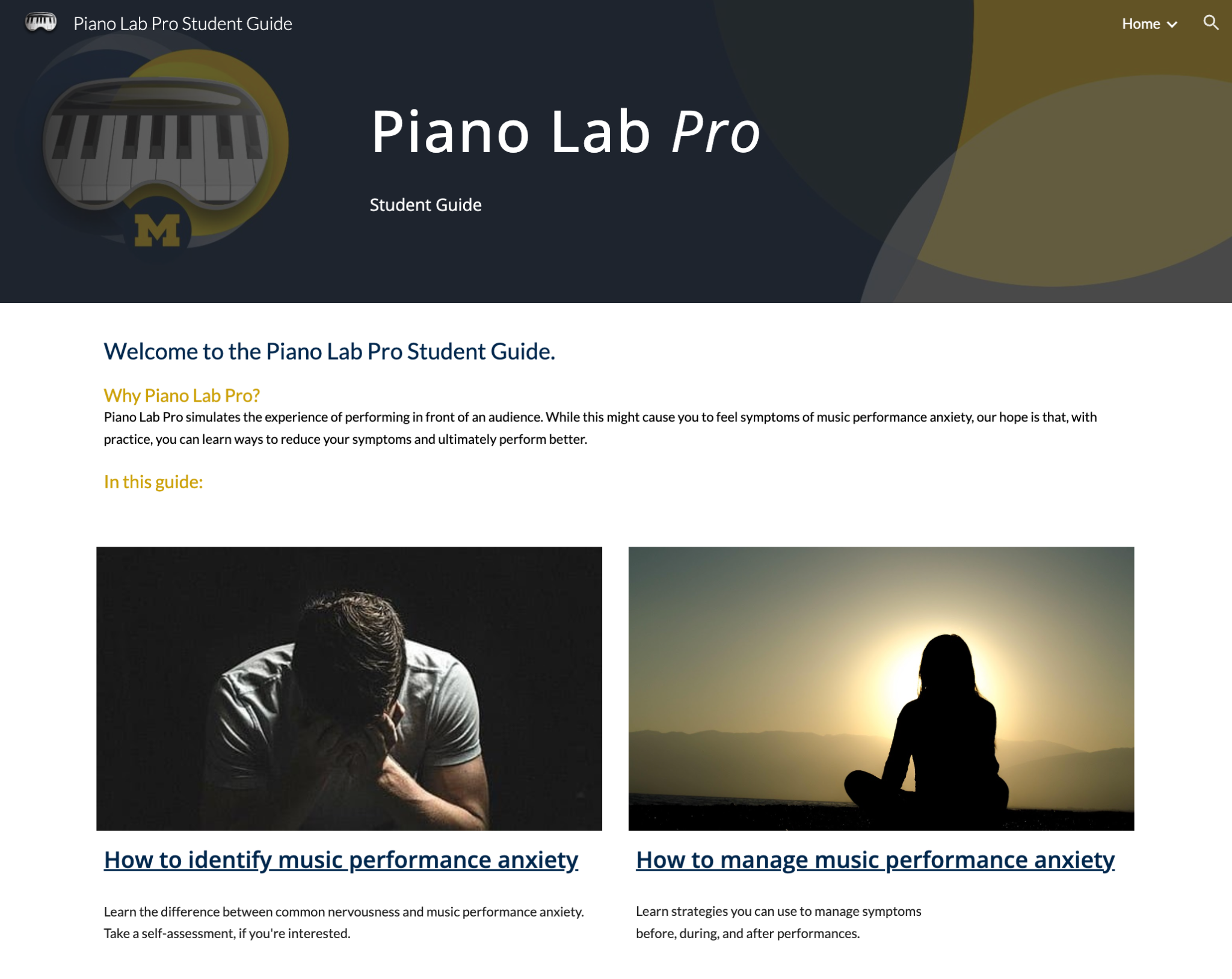
Student guide live
Deployed as a standalone Google Site: covers MPA, preparation strategies, and how to use the app. Already in students' hands.
Done
- ✓IRB approval in place (U-M Institute for Social Research)
- ✓Multiple usability testing rounds completed; findings drove key product decisions
- ✓Student guide deployed
- ✓Both venues (Hill + Britton) fully built; live audience and calibrated acoustics running
In progress
- ○Alignment UX (hybrid solution in design)
- ○Instructor-side tooling (planned, not yet built)
What I learned
Holding the line on scope, with real clients
Identifying the strongest value proposition from three faculty ideas — each a full product in its own right — is a PM decision that looks like a writing exercise until you've tried it with real clients who have real enthusiasm for their own concepts. Holding that line while keeping the relationship intact: that's the job.
Let research lead
Faculty and students didn't always agree on what the product should prioritize, and research was the mechanism that resolved the difference. The testing on this project isn't a formality; it's the evidence trail for specific product decisions. Building that trail made it possible to align everyone around the same outcome.
Reading what the team can't do
A PM who identifies a capability gap before it becomes a credibility problem, and goes and finds the right people to fill it, is doing something different than one who waits. The ISR partnership happened because I read what the team couldn't do, not because someone handed me a spec.
What I'd do differently
I spent more time than I should have on the first piano alignment solution before calling it. The usability signal was clear earlier than I acted on it, and the delay cost us a sprint. Next time, I'll set a failure threshold before testing begins, not after, so the decision to pivot is made on evidence I've already agreed to trust.
"When testing and client intuition conflicted, testing won. That sentence is easy to say and hard to hold in a room with faculty who built their careers on their intuition."